
L5X simulator
Run L5X exports without a PLC
Export a routine, a program or a whole controller as L5X, drop it on PLCflow Sim and press Run. UDTs and AOIs open as a tree you can browse, and an import report lists what came across and what did not. You don't need a controller or a Studio 5000 install.
994 / 994 rungs imported and running from a real controller export
- 01 Export
- 02 Drop
- 03 Run
P_PumpStation.L5X: import report
  Programs   1   Routines  2   Rungs  7/7
  Tags      10   Skipped   0
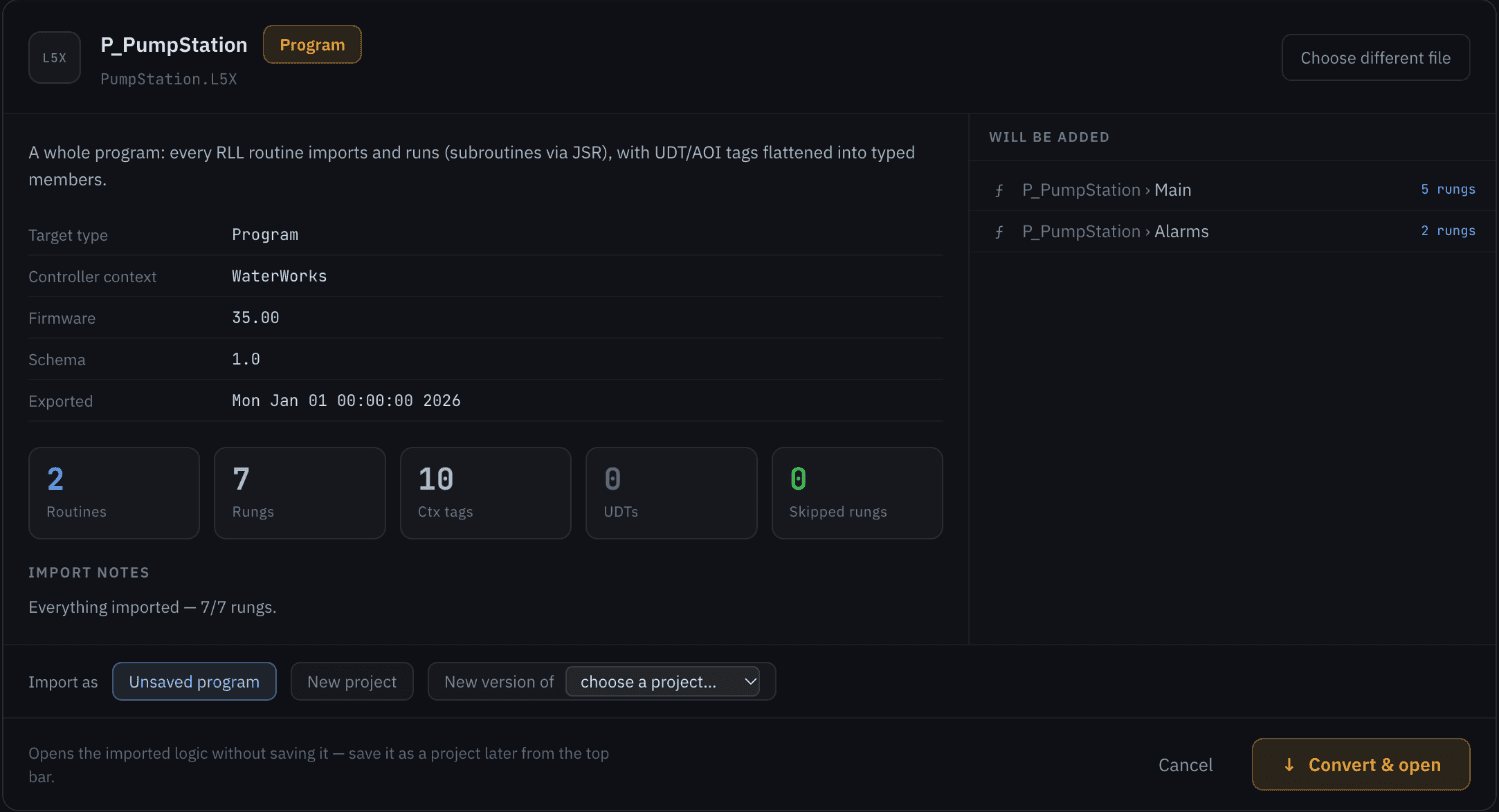
What comes across from an L5X export
Routine, program or controller
Import at any scope. Program-scope tags stay scoped, and JSR'd routines run the way they were written.
UDTs, AOIs and aliases
Structured tags open as a collapsible tree. AOI calls execute per instance. Aliases resolve to their base tag and stay live, readable and writable.
Every rung accounted for
Before you press Run, the import report lists what came across and names anything PLCflow Sim cannot run yet, with the line it is on.
The names you exported
Tags and rungs keep the names they had in the export. Instructions can show PLCflow Sim's own names or the familiar mnemonics, and the logic is the same either way.
With and without a simulator
Without a simulator
- Wait for a test bench or a spare controller
- Or read the export and work the timers out in your head
- Find the inverted interlock at commissioning
With PLCflow Sim
- Export from Studio 5000
- Drop the file and read the import report
- Press Run, set inputs, watch every tag
- Fix it at your desk and save a version
Available instructions and usage
The ladder instructions that run today. A test checks this list against the engine, so it stays current. Anything else in your file is named in the import report, with the rung it is on.
Also handled
- Add-On Instructions: definitions import from the L5X and every call runs per instance
- Alias tags, including chains, program scope, members, array elements and bit targets
- UDTs, flattened into a browsable tag tree
- Routine, program and controller exports, with program-scope tags kept in scope
- Bit-of-word operands (Word.3) and variable array indices (Arr[Idx])
Not yet: .ACD project files, function block and SFC routines, and instructions not listed above, for example MSG, PID, JMP, LBL, SBR, RET, FAL, SQO, BSL, CONCAT.
Who uses it this way
Controls engineer before a FAT
Runs the program export and sets the inputs for every sequence before the client is in the room.
Engineer inheriting an undocumented program
Imports it, sets inputs and sees what each routine does with them, instead of reading 200 of them cold.
PLCflow user
Generates I/O and alarm code, then runs the L5X here before importing it into the real project.
Try it on an example
Pump station (L5X)
L5X importAn L5X program export with lead/lag pumps, program-scope tags and a JSR'd alarm routine.
Conveyor with dwell
Ladder (NT)The belt runs, a 5-second timer gives it time to get up to speed, and only then does the ready lamp light. Watch the accumulator climb.
L5X import questions
Which L5X exports work?
Routine, program and controller exports of ladder (RLL) logic. The instructions that run today are listed further down this page, and the import report names anything that did not come across.
Do I need Studio 5000 installed?
No. PLCflow Sim reads the exported file. It does not run or contain any Rockwell Automation software.
Can I import an .ACD file?
No. Export to L5X from Studio 5000 first. Function block and SFC routines are not supported either; ladder routines are.