
PLC program testing
Test your PLC program before commissioning
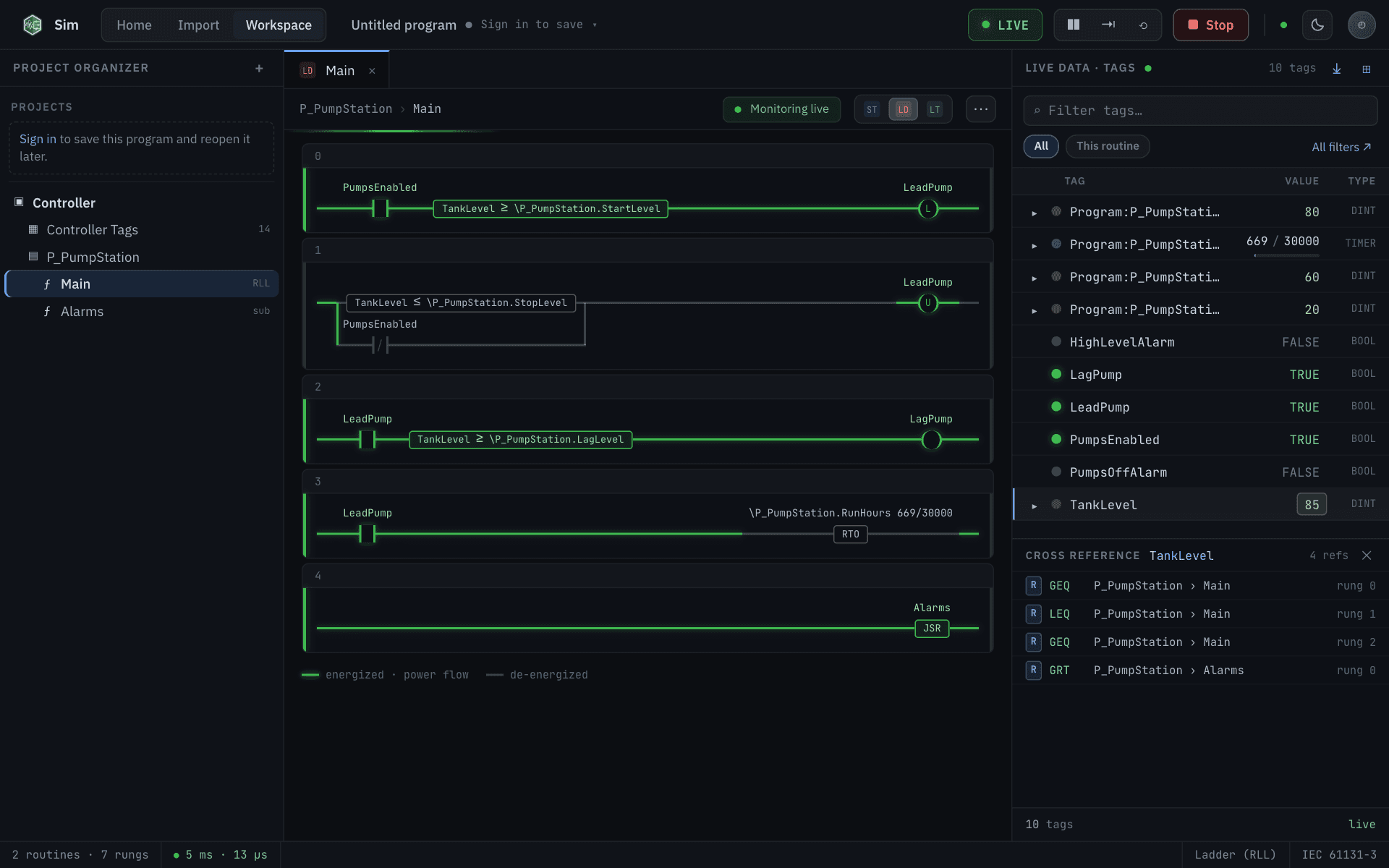
Import the L5X export, press Run, and test each sequence at your desk. You set the inputs and values from the browser, and every rung and tag responds on the next scan.
Tested against 1000-line PLC programs and all code was successfully imported and run, UDTs, AOIs and aliases included Available instructions and usage
The situations
Before FAT/Commissioning
The situation. The program is written, the FAT is booked, and there's no spare controller.
What you do. Import the program export, set the inputs each sequence needs, save a baseline version, and go into the FAT having already run it.
An inherited program
The situation. 200 routines, no comments, the author long gone.
What you do. Import it, set the inputs each routine reads, and see what it does with live values before you change a rung.
Test changes to an onsite PLC
The situation. You're planning three rung changes to a program that is running onsite.
What you do. Save the new version, compare it with the last one, and run the two in separate slots, setting the same inputs on each.
Generated code
The situation. PLCflow generated 400 rungs of I/O and alarm logic.
What you do. Run the L5X here first, set its inputs and check what it does with them before it goes into a project file.
How it goes
- Export the routine, the program or the whole controller from Studio 5000® as L5X.
- Drop the file on PLCflow Sim and read the import report. It lists what came across and names anything that can't run yet, with the rung it is on.
- Press Run. Set inputs from the tag list and watch power flow, timers and outputs respond.
- When a sequence goes wrong, pause and step one scan at a time.
- Fix the rung, save a version, and compare it with the one before.
What it can't tell you
A clean run shows how the logic behaves for the inputs you tried. It says nothing about I/O timing, wiring, networks or safety functions, and some instructions don't run yet (MSG and PID among them). Commissioning still proves the system.
Which plan fits
Free runs your own programs in 25-minute sessions, which is enough to try an export. Saved projects, versions and untimed sessions start on Standard ($29/month), with 3 live slots and 10 saved projects. Pro has 10 slots, for several lines or several clients at once. Integrator has 25 slots and a 5 ms scan, for FAT prep across several systems.
Examples to try
Pump station (L5X)
L5X importAn L5X program export with lead/lag pumps, program-scope tags and a JSR'd alarm routine.
Conveyor with dwell
Ladder (NT)The belt runs, a 5-second timer gives it time to get up to speed, and only then does the ready lamp light. Watch the accumulator climb.
Forward/reverse interlock
Ladder (NT)Two seal-in rungs that lock each other out. The motor has to stop before it can change direction.
PLC Code testing questions
Can I test a Studio 5000 program without a PLC?
Yes. Export it as L5X and import the file. PLCflow Sim converts the logic to its own vendor-neutral form and runs that. You don't need a controller or a Studio 5000 install.
Does a clean run mean my program is ready for the plant?
No. It means the logic did what you expected for the inputs you tried. I/O timing, hardware faults, networks and safety functions are outside what a simulator can show. Test on the target controller before it runs equipment.
What if my program uses an instruction that isn't supported?
The import report names it, with the rung it is on, before you press Run.