
PLC training simulator
A PLC training simulator with nothing to install
Students open a browser tab and run ladder logic and Structured Text. There's no rack of hardware per seat and no licences to hand out, and the examples don't need an account.
The situations
Learning on your own
The situation. You're working through a course or a textbook and there's no PLC at home.
What you do. Open an example, press Run, and set its inputs from the tag list to see what each rung does with them. Every example also has a page on this site that explains the program rung by rung. A free account lets you write and run your own programs.
Teaching a class
The situation. Thirty students, a few trainers, and an hour.
What you do. Put an example on the projector and share a view-only link, so everyone watches the same rung. Then students run it themselves, on whatever the lab PCs or their laptops run.
What students can do today
- Run 9 examples: seal-in, on-delay and off-delay timers, a counter, a one-shot, an interlock, hysteresis, chained timers and lead/lag pumps.
- Read the same program as ladder or as Structured Text.
- Write their own programs, in Neutral Text or Structured Text, with a free account.
- With a free account, download their work as a file.
- Use Windows, macOS, Linux or ChromeOS. It runs in the browser.
A first lab
- Open the motor start/stop example and press Run.
- Turn Start on, then off again. The motor stays on.
- Open the example's page on this site and read why it stays on.
- Work through the "Try this" list on that page. The second step asks a question; answer it before moving on.
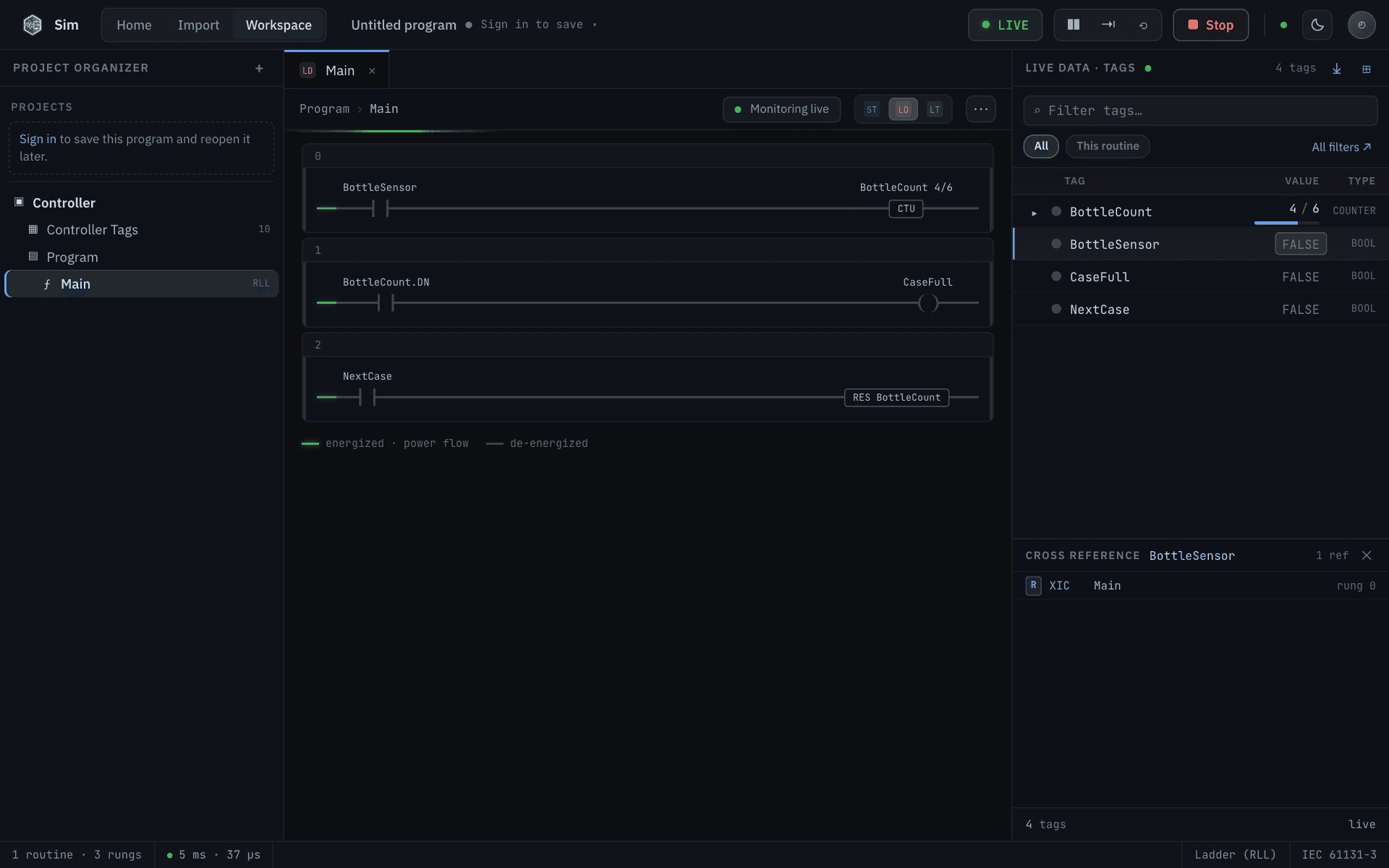
- Do the same with the conveyor timer, then the bottle counter.
What it can't do
It doesn't replace wiring a panel or time in the vendor's software. Students still need hours on the platform they'll work with, and PLCflow Sim doesn't run every instruction yet. Free sessions scan for 25 minutes and then freeze. In a longer lab, students resume the session from their account page and carry on.
Classroom and institution plans
Plans are per account today. If you teach a course or run a training program and want accounts for a class, tell us the size of the class and the dates of the course, and we can go from there.
Which plan fits
The examples need no account. Free covers a student's own programs: 1 live slot, 25-minute sessions that can be resumed as often as needed, and drafts kept in the browser. An instructor who wants saved projects and sessions without a timer needs Standard.
Examples to try
Motor start/stop
Ladder (NT)A latching start/stop station. Click Start once and the seal-in branch holds the motor on through its own contact until Stop breaks the rung.
Conveyor with dwell
Ladder (NT)The belt runs, a 5-second timer gives it time to get up to speed, and only then does the ready lamp light. Watch the accumulator climb.
Bottle counter
Ladder (NT)A photo-eye counts bottles into a case of six. Pulse the sensor and watch the count climb, then reset it for the next case.
Education questions
Is it free for students?
Every example runs free with no account. A free account lets a student write and run their own programs, in 25-minute sessions they can resume as often as they need.
Does it run on school Chromebooks?
Yes. It runs in the browser, so it works on ChromeOS, macOS and Linux as well as Windows. Nothing is installed.
Which PLC languages can students practise?
Ladder logic, written as Neutral Text and drawn as ladder, and IEC 61131-3 Structured Text. Function block diagram and SFC aren't supported.