
Structured Text simulator
A Structured Text simulator that runs in your browser
PLCflow Sim's native language is IEC 61131-3 Structured Text. Write IF/ELSIF logic, timers and counters, press Run, then set inputs and values in the tag list beside the code and see every tag it drives respond.
Imported ladder reads back as Structured Text
- 01 Write
- 02 Run
- 03 Set inputs
IF Level > 85 THEN
  HighAlarm := TRUE;
END_IF;
IF Level < 75 THEN
  HighAlarm := FALSE;
END_IF;
FillValve := LowAlarm AND NOT HighAlarm;
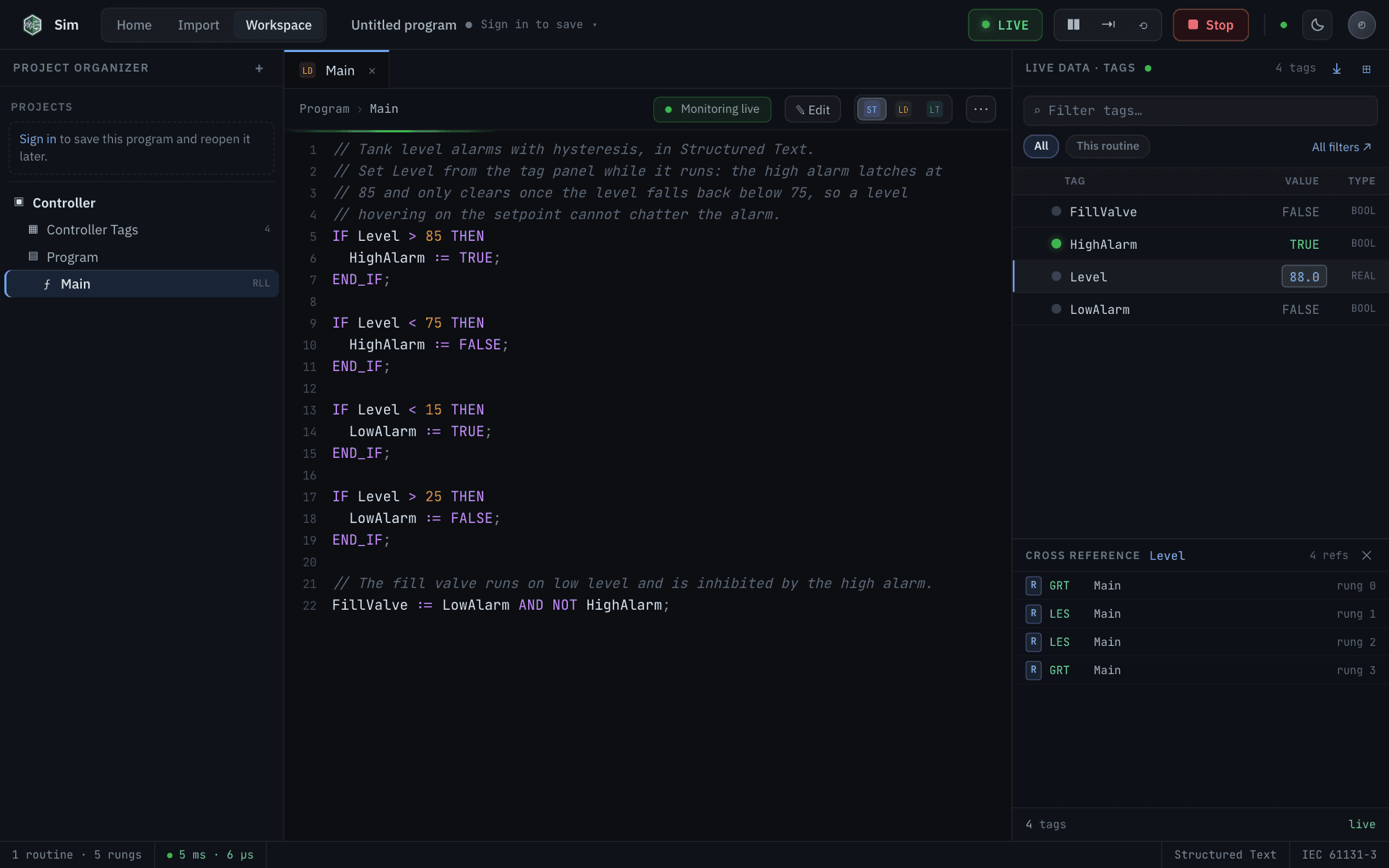
What you get when you run Structured Text
Live tags beside the code
The tag list sits next to the editor and updates while the program scans. Click a tag to see where the program uses it.
Timers and counters
TON, TOF, RTO, CTU and CTD with named parameters and T# durations.
Ladder and ST, one program
Imported ladder reads back as generated Structured Text, and ST is drawn as ladder where it can be.
No VAR blocks
Tags live in the tag database and are created from how the code uses them, so a short routine is a short file.
With and without a simulator
Without a simulator
- Install a full IDE and a soft PLC to try ten lines
- A licence, a VM and a project to set up
With PLCflow Sim
- Open a tab
- Type
- Run
Who uses it this way
Engineer moving from ladder to ST
Tries the idioms and watches the tags respond.
Student on an ST course
Runs the exercises instead of only checking their syntax.
Integrator
Prototypes a sequence before choosing a platform for it.
Try it on an example
Structured Text questions
Which Structured Text is supported?
Assignments, full expressions, IF/ELSIF/ELSE, the TON, TOF, RTO, CTU and CTD blocks, RESET and RETURN. Loops (FOR, WHILE, REPEAT), CASE, and the TP, CTUD, R_TRIG and F_TRIG blocks are not supported yet.
Do I need VAR blocks?
No. Tags live in the tag database and are created from how the code uses them.
Can I export my Structured Text?
Yes, as a .st file, with a free account.